
MV Mesh Tools - Substance 3D Designer Plugin
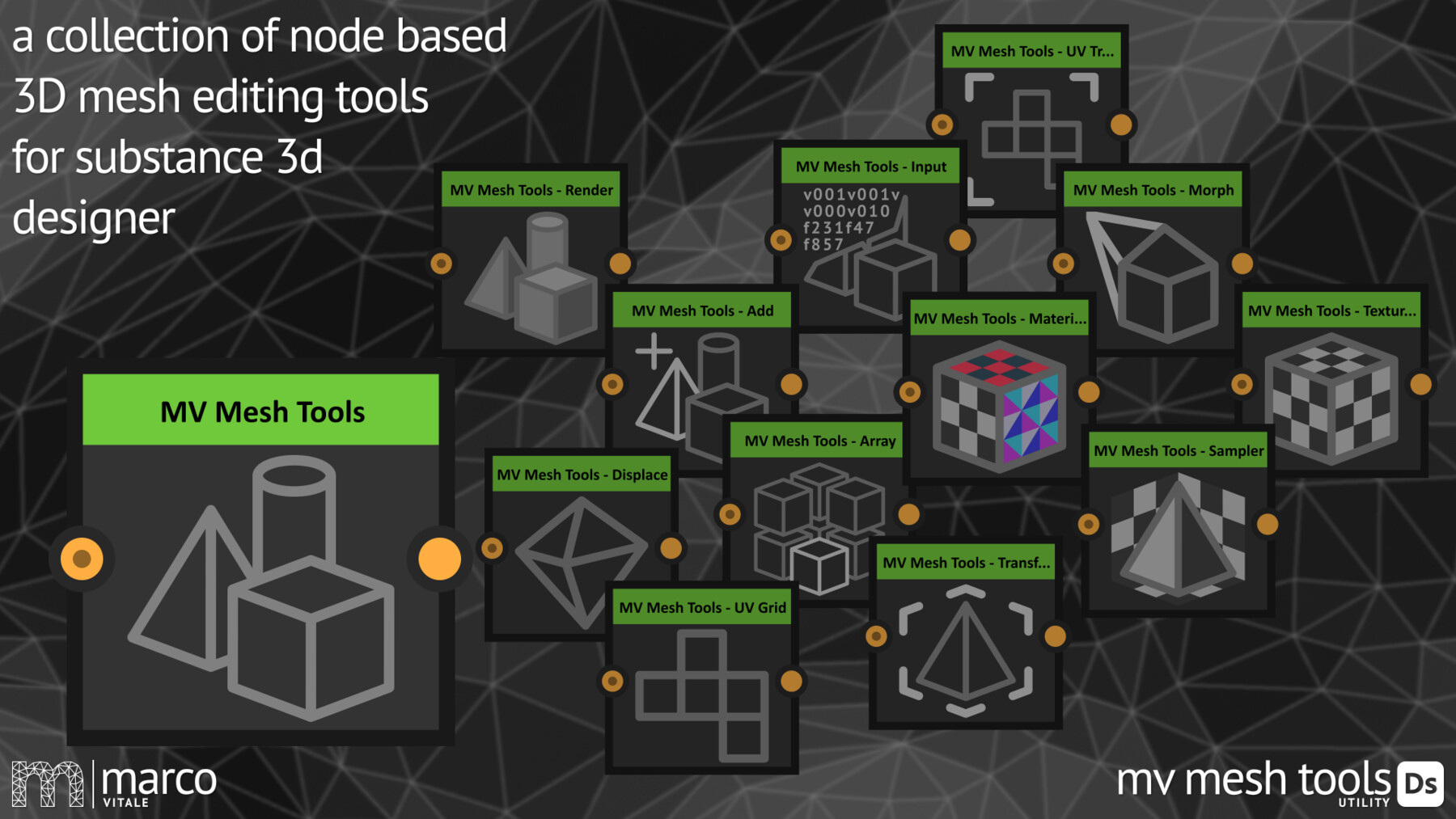
The MV Mesh Tools - Utilities offer a suite of tools and utilities to import, edit and render 3D meshes in Substance 3D Designer. While keeping everything procedural no need to bake textures or mesh information anymore.
The MV Mesh Tools - Utilities contains:
- The MV Mesh Tools - Add Node combines the mesh data of two scenes or meshes into a single scene. This allows you to keep multiple meshes separate within the same scene.
- The MV Mesh Tools - Array Node creates multiple copies of a mesh or an entire scene along the x, y, and z axes. This allows the efficient creation of repeated structures or patterns.
- The MV Mesh Tools - Displace Node modifies the vertex positions of the meshes in the input scene using a displacement map. This is useful for adding fine details and textures to the geometry of the meshes.
- The MV Mesh Tools - Input Node generates the 3D mesh by directly inputting vertex, UV, and normal coordinates, as well as the corresponding face indices, following the .obj file format specification.
- The MV Mesh Tools - Material Mapping Node uses the UV map generated by the MV Mesh Tools - Render Node to apply material maps to the meshes in a scene. This allows precise control over how the material is applied to 3D models based on their UV coordinates.
- The MV Mesh Tools - Morph Node blends the vertex positions between two meshes. It is important that both meshes have the same number of vertices and identical face indices.
- The MV Mesh Tools - Render Node converts the input scene into a rendered texture. This allows visualizing 3D meshes as 2D images.
- The MV Mesh Tools - Sampler Node samples multiple textures to influence the position scale, and rotation of a mesh or scene. This allows dynamic and texture-driven transformations of 3D objects.
- The MV Mesh Tools - Texture Mapping Node uses the UV map generated by the MV Mesh Tools - Render Node to apply a texture to the meshes in a scene. This allows precise control over how textures are applied to 3D models based on their UV coordinates.
- The MV Mesh Tools - Transform Node performs basic transformations to a mesh or scene, including translation, rotation, and scaling.
- The MV Mesh Tools - UV Transform Node applies transformations to the UV maps of the meshes in a scene. This allows adjusting the UV coordinates for various effects, such as scaling, rotating and translating textures applied to the meshes.
- The MV Mesh Tools - UV-Grid Node is a helper node designed to draw the UV maps of the meshes of a scene. It helps visualizing and position textures accurately by providing a clear representation of the UV coordinates.
You can find the complete Node-Reference on YouTube
Stay healthy and creative
Marco Vitale
Release Notes
What's new in 2.0?
- The complete suite got redesigned and optimized
- a spatial grid acceleration structure speed up render times rendering high-poly meshes
- the plugin creates a 32Bit Bitmap file, to encode the mesh data, which makes it easier to work with and to share the mesh over multiple files
- the complete data structure got redesigned to be more optimized in designer
- transformation-matrices got implemented, so the original mesh is kept until render
What's new in 2.1?
- Minor Bug Fixes:
- When exporting an .obj from ZBrush the meshes couldn't be loaded, because of a slightly different file structure, this is now fixed
- Added an example meshes folder to the .zip file which are definitely working, which can be used to check if the plugin works correctly. This helps to localize bugs or errors, when you report them
What's new in 2.2?
- The .sbsar containing all the nodes is now included not only in the plugin, also in the .zip file
What's new in 2.3?
- The Plugin got updated to the lates Version of Substance3D Designer, making sure it works well with the new PySide6 API
What's planned in the next versions?
- Performance improvements
- Decimate Node
- Subdivide Node
- mesh instancing to compress the data